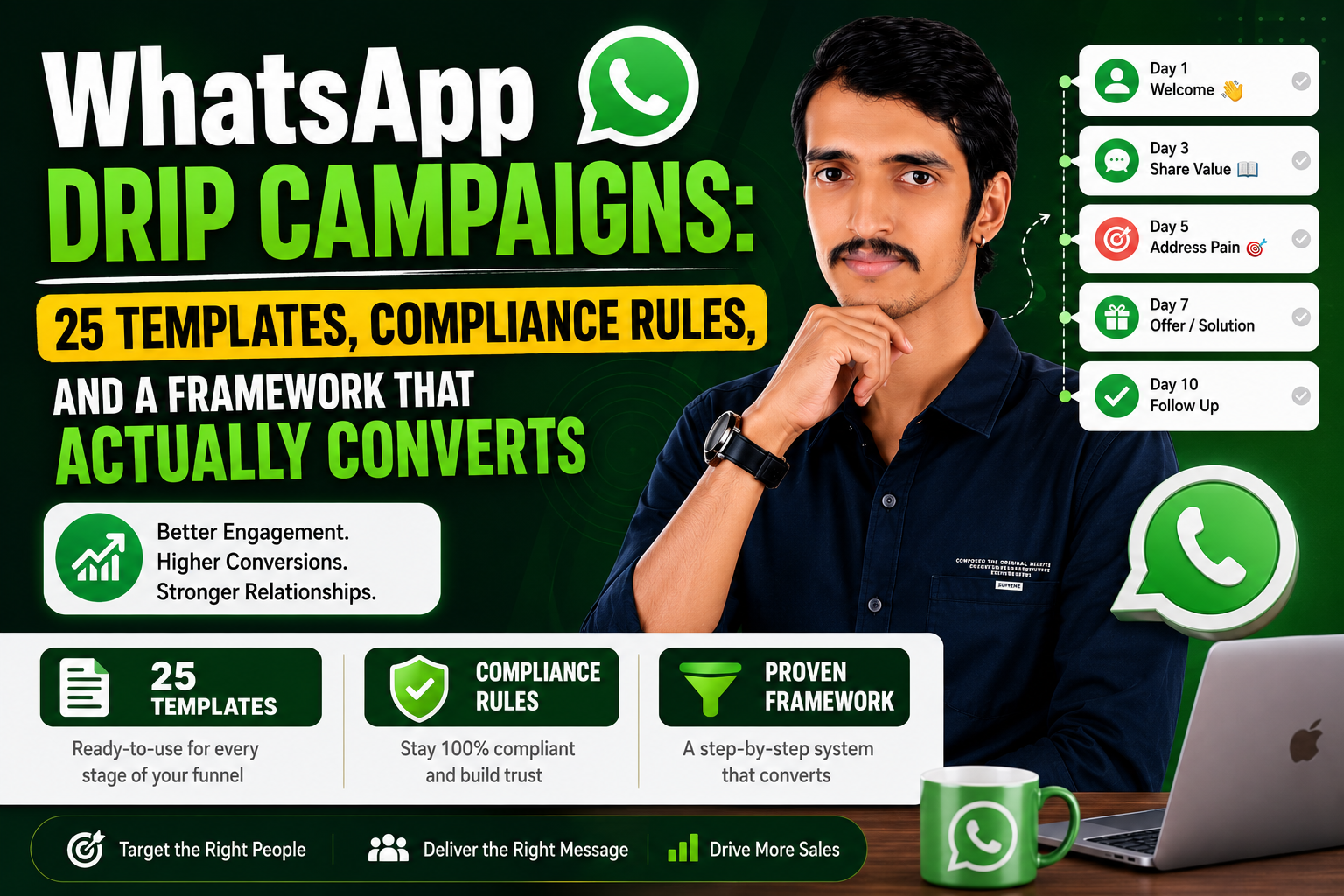
Quick answer: A WhatsApp drip campaign is a sequence of two to four automated messages triggered by a customer action — a sign-up, an abandoned cart, a missed appointment, 30 days of silence — that stops the moment the customer replies or converts. Below you’ll find the compliance rules that govern them in 2026, 25 ready-to-adapt templates across five business categories, and the dos and don’ts that separate campaigns people respond to from campaigns people mute.
What Is a WhatsApp Drip Campaign?
A drip campaign is not a broadcast. A broadcast pushes one message to a list. A drip campaign watches for a trigger — a specific customer behavior — and then delivers a short, timed series of follow-ups built around that one moment, message by message, until the customer acts or the sequence runs out.
Three things define every drip campaign:
- A trigger — the event that starts the sequence (cart left behind, form submitted, 14 days of inactivity).
- A message sequence — typically two to four messages, each with a single job (remind, inform, nudge, close).
- A stop rule — the campaign ends the second the customer replies, converts, or opts out.
Because most of these messages land outside a live conversation, they fall under WhatsApp’s template rules — which is where compliance becomes the make-or-break factor.
WhatsApp Compliance Essentials for 2026
Before adapting any template below, build your sequence around these six rules. Getting them wrong doesn’t just risk a rejected template — it can throttle your entire number’s delivery.
1. Opt-In Comes First, Always
You need documented, affirmative consent before sending any marketing message. Acceptable opt-in sources include:
- A checkbox at signup (“Yes, message me on WhatsApp”)
- A customer messaging you first via a click-to-WhatsApp ad or QR code
- An inbound chat-widget conversation the customer initiated
Log the timestamp and source of every opt-in. If you can’t point to how and when someone agreed, don’t message them.
2. The 24-Hour Window Governs Everything
| Situation | What you can send | Cost |
|---|---|---|
| Customer messaged you in the last 24 hours | Any free-form message | Free (service message) |
| More than 24 hours since their last message | Only pre-approved templates | Billed per template category |
| Customer replies mid-sequence | Window resets from that reply | Free again for 24 hours |
Design at least one early message in your sequence to invite a reply — every reply buys you a fresh day of flexible, template-free conversation.
3. Template Categories Are Not Interchangeable
| Category | Use for | Notes |
|---|---|---|
| Marketing | Offers, discounts, upsells, win-back nudges | Subject to the strictest delivery limits |
| Utility | Order confirmations, shipping updates, appointment reminders | Free within 24 hours; must stay strictly transactional |
| Authentication | OTPs, identity verification | No emojis, no links, no media |
A utility template that slips in promotional language risks reclassification as marketing — which changes its cost and delivery priority.
4. Extended Free Windows from Ads and Page CTAs
When a customer initiates contact through a click-to-WhatsApp ad or a Page CTA button, and you reply within 24 hours, you unlock a 72-hour window of free messaging in any category. This only applies to conversations started on mobile.
5. US Marketing Sends Remain Paused
Marketing-category templates to US numbers have been paused since April 2025; utility and authentication templates still deliver normally. For US audiences, route promotional content through utility-compliant messaging or a different channel entirely (email, SMS).
6. Engagement-Based Delivery Caps Are Real
Contacts who consistently ignore marketing messages will eventually stop receiving them under Meta’s engagement-based limits (this doesn’t currently apply in the EEA, UK, Japan, or South Korea). The practical fix: build an exit rule. If two messages get no response, stop that contact’s sequence rather than sending a third.
25 Drip Campaign Templates You Can Adapt
Each template below states the trigger, a suggested timing and copy structure, and a stop condition. Treat the message copy as a starting draft — rewrite it in your brand’s voice and submit it to Meta for template approval before use.
Category 1: Lead Generation
Template 1 — New Inquiry Follow-Up (Real Estate / High-Consideration Purchases)
Trigger: Prospect submits an inquiry form.
| Timing | Message Direction |
|---|---|
| Immediately | Thank them for the inquiry, confirm a human will follow up, share a brochure or overview link |
| Day 2 | Answer the 2–3 most common questions about pricing or process |
| Day 5 | Invite them to book a call, tour, or demo slot |
| Day 9 | Offer a comparison or case study to help them decide |
Stop condition: Booking made or reply received.
Template 2 — Post-Demo Nurture (B2B / SaaS)
Trigger: Prospect requests a demo.
| Timing | Message Direction |
|---|---|
| Immediately | Confirm the request and set expectations on response time |
| Day 1 (if not booked) | Share a specific, measurable outcome other customers achieved, plus a short video |
| Day 3 (if not booked) | Offer available time slots directly |
Stop condition: Demo booked or attended.
Template 3 — Financial Product Inquiry
Trigger: Lead requests a quote (insurance, lending, advisory).
| Timing | Message Direction |
|---|---|
| Immediately | Confirm receipt, set a response-time expectation |
| Day 1 | Share the 2–3 factors most people weigh before deciding |
| Day 3 | Offer a direct call to complete the application |
Stop condition: Application started or call booked.
Compliance note: Meta restricts certain financial products outright (payday loans, P2P lending, crypto/ICO offers). Confirm your product category is permitted before building this sequence.
Template 4 — Generic No-Response Follow-Up
Trigger: No reply 48 hours after any initial outreach.
| Timing | Message Direction |
|---|---|
| 48 hours after silence | Light check-in referencing the original topic |
| 72 hours after that | Final follow-up with a clear “no pressure” close |
Stop condition: Reply received or sequence ends.
Template 5 — Lead Magnet Nurture
Trigger: Contact downloads a free resource and opts in.
| Timing | Message Direction |
|---|---|
| Immediately | Deliver the resource, invite a reply for a quick summary |
| Day 1 | Highlight one key action from the resource |
| Day 3 | Share a brief customer example tied to the resource’s topic |
| Day 6 | Offer a short consultation |
Stop condition: Call booked, purchase made, or reply received.
Category 2: E-Commerce and D2C
Cart abandonment remains one of the highest-leverage triggers in e-commerce — most online shopping carts never convert without a nudge.
Template 6 — Abandoned Cart Recovery
Trigger: Items added to cart, checkout not completed.
| Timing | Message Direction |
|---|---|
| 30 minutes | Simple reminder with a direct cart link |
| 24 hours | Second reminder, cart is still saved |
| 48 hours | Final nudge with a small incentive (free shipping or discount) |
Stop condition: Purchase completed or reply received.
Template 7 — Cash-on-Delivery Confirmation
Trigger: COD order placed.
| Timing | Message Direction |
|---|---|
| Immediately | Ask for a YES/NO confirmation before shipping |
| 2 hours (no reply) | Repeat the confirmation request with a hold deadline |
Stop condition: Confirmation received either way.
Template 8 — Shipping and Delivery Updates
Trigger: Order shipped.
| Timing | Message Direction |
|---|---|
| Immediately | Shipping confirmation with tracking link |
| Day 2 | Delivery estimate, option to adjust address or timing |
Stop condition: Delivered or customer replies.
Template 9 — Post-Delivery Feedback and Cross-Sell
Trigger: Order marked delivered.
| Timing | Message Direction |
|---|---|
| 24 hours | Check that the order arrived as expected |
| Day 3 | Suggest a complementary product |
| Day 7 | Share a usage tip and a reorder link |
Stop condition: New order placed or reply received.
Compliance note: Only the delivery check-in qualifies as utility. The cross-sell messages should be submitted as separate marketing templates.
Template 10 — Back-in-Stock Alert
Trigger: Waitlisted product restocked.
| Timing | Message Direction |
|---|---|
| Immediately | Notify restock, offer to send the purchase link |
| 24 hours (clicked, no purchase) | Add urgency with remaining stock count |
Stop condition: Purchase made or opt-out.
Template 11 — Product Education Series
Trigger: Purchase of a product with a learning curve.
| Timing | Message Direction |
|---|---|
| Day 0 | Offer a setup guide |
| Day 1 | First usage tip |
| Day 3 | Second tip, invite questions |
| Day 7 | Common mistake to avoid |
Stop condition: Reply, return request, or sequence ends.
Template 12 — Seasonal Sale Campaign
Trigger: Promotional window opens for an active marketing-list contact.
| Timing | Message Direction |
|---|---|
| 3 days before | Early-access teaser |
| Launch day | Sale is live, headline discount |
| 24 hours before close | Final-hours reminder |
Stop condition: Purchase made or opt-out.
Template 13 — Subscription Renewal Reminder
Trigger: Renewal due in 7 days.
| Timing | Message Direction |
|---|---|
| Day -7 | Renewal notice, no action needed to continue |
| Day -2 | Reminder with account management link |
| Day -1 | Final notice, highlight upgrade option if relevant |
Stop condition: Renewal confirmed or plan changed.
Category 3: Onboarding and Activation
Template 14 — First-Order Welcome (E-Commerce)
Trigger: First order placed.
| Timing | Message Direction |
|---|---|
| Immediately | Confirm order, promise a tracking link |
| Day 2 | Usage tips while they wait |
| Day 6 | Check-in with a small discount for a second order |
Stop condition: Reply or second purchase.
Template 15 — Free Trial Activation (SaaS)
Trigger: Trial sign-up.
| Timing | Message Direction |
|---|---|
| Immediately | Welcome, trial end date, setup link |
| Day 1 | Point to the one action that drives fastest results |
| Day 4 | Offer a short walkthrough video |
| Day 6 | Trial-ending notice with upgrade benefits |
Stop condition: Upgrade or reply.
Template 16 — Course Enrollment (Education)
Trigger: Enrollment confirmed.
| Timing | Message Direction |
|---|---|
| Immediately | Welcome, start date, calendar prompt |
| Night before Day 1 | First lesson link and expectations |
| Day 3 | Check-in, next module notice |
| Day 7 | Encouragement tied to completion likelihood |
Stop condition: Course completed or reply received.
Template 17 — Membership Welcome (Gym / Fitness)
Trigger: Membership activated.
| Timing | Message Direction |
|---|---|
| Immediately | Welcome, first-visit essentials |
| Day 2 | Beginner schedule recommendation |
| Day 7 | Check-in, offer a personalized plan |
Stop condition: Reply or session booked.
Category 4: Service and Appointments
Template 18 — Appointment Confirmation and Reminder
Trigger: Appointment booked.
| Timing | Message Direction |
|---|---|
| Immediately | Confirm date, time, location |
| Day before | Reminder with any prep instructions |
| 2 hours before | Final reminder with directions |
Stop condition: Appointment completed or rescheduled.
Template 19 — Post-Appointment Follow-Up
Trigger: Appointment marked complete.
| Timing | Message Direction |
|---|---|
| 24 hours after | Check in on how it went |
| Day 5 | Recommend next check-up or follow-up booking |
Stop condition: Reply or booking made.
Compliance note: Health-related messaging carries added restrictions. US healthcare businesses should treat WhatsApp as non-HIPAA-compliant by default and limit content to scheduling and general check-ins only.
Template 20 — Rebooking Reminder (Beauty / Wellness)
Trigger: 28 days since last visit.
| Timing | Message Direction |
|---|---|
| Day 28 | Prompt to rebook, available slots |
| Day 32 | Reminder, limited weekend availability |
| Day 37 | Small thank-you discount for returning |
Stop condition: Booking made or opt-out.
Template 21 — Quote Follow-Up (Local Services)
Trigger: Quote or proposal sent.
| Timing | Message Direction |
|---|---|
| Same day | Check-in, offer to clarify |
| Day 2 | Ask if they’d like to proceed |
| Day 5 | Note limited scheduling availability |
Stop condition: Booking confirmed or decline received.
Template 22 — Document Collection
Trigger: Application or onboarding requiring paperwork begins.
| Timing | Message Direction |
|---|---|
| Immediately | List required documents, upload link |
| 6 hours (pending) | Offer help with specific documents |
| Day 2 (still pending) | Deadline reminder |
Stop condition: Documents submitted or application withdrawn.
Category 5: Retention and Re-Engagement
Template 23 — 30-Day Win-Back
Trigger: No purchase or activity in 30 days.
| Timing | Message Direction |
|---|---|
| Day 1 | Highlight what’s new since their last visit |
| Day 3 | Recommend a product tied to past purchase |
| Day 7 | Welcome-back offer with expiry |
Stop condition: Purchase made or opt-out.
Template 24 — Platform Re-Engagement (SaaS)
Trigger: No login in 14 days.
| Timing | Message Direction |
|---|---|
| Day 14 | Note what’s changed since last login |
| Day 17 | Share a relevant outcome other users are getting |
Stop condition: Login or reply.
Template 25 — Loyalty Points Expiry Reminder
Trigger: Points expiring in 7 days.
| Timing | Message Direction |
|---|---|
| Day -7 | Notify balance and expiry date |
| Day -2 | Final reminder with redemption options |
Stop condition: Points redeemed or reply received.
Compliance note: The expiry alert can qualify as utility; the redemption-options message, which promotes discovery of rewards, should go through marketing approval.
Drip Campaign Dos and Don’ts
Do
- Segment before you send. A first-time buyer and a 90-day-dormant customer should never get the same sequence.
- Personalize beyond the name. Reference the actual product, service, or action — specificity drives replies.
- Give each message one job. Remind, inform, nudge, close — don’t combine all four in one text.
- Auto-stop on reply. The instant someone responds, the sequence should end so a human can take over.
- Respect send-time windows. A message at 2 a.m. undermines even a well-timed sequence.
Don’t
- Don’t stack messages too tightly. Three messages inside 24 hours reads as spam regardless of copy quality.
- Don’t “set and forget.” Reply rates and conversions drift — review and refresh copy quarterly.
- Don’t reuse one sequence across unrelated use cases. A cart-recovery flow and a real-estate follow-up need different timing, tone, and stakes.
Frequently Asked Questions
How is a drip campaign different from a broadcast? A broadcast sends one message to a static list at a single point in time. A drip campaign responds to individual customer behavior with a timed sequence that stops automatically once the customer acts.
How many messages should a drip sequence contain? Two to four is the practical range. Beyond four unanswered messages, opt-out risk rises and delivery quality can suffer.
Do these templates require Meta approval before use? Yes. Any message sent outside the 24-hour service window must use a pre-approved WhatsApp template, categorized correctly as marketing, utility, or authentication.
When is the right time to send a follow-up after no response? Generally 48–72 hours after the first message. Sooner can feel pushy; much later and intent has usually faded.
Can small businesses run drip campaigns, or is this an enterprise-only feature? Drip campaigns are achievable by businesses of any size using WhatsApp Business API tooling with template scheduling and auto-stop-on-reply logic — no enterprise-only feature is required to get started.
This guide is provided for general informational and educational purposes. Always confirm current WhatsApp Business Platform policies directly with Meta before submitting templates, since category rules and regional restrictions are updated periodically.